Table of Contents

 6 September 2024
 How to install a reverse camera in a car
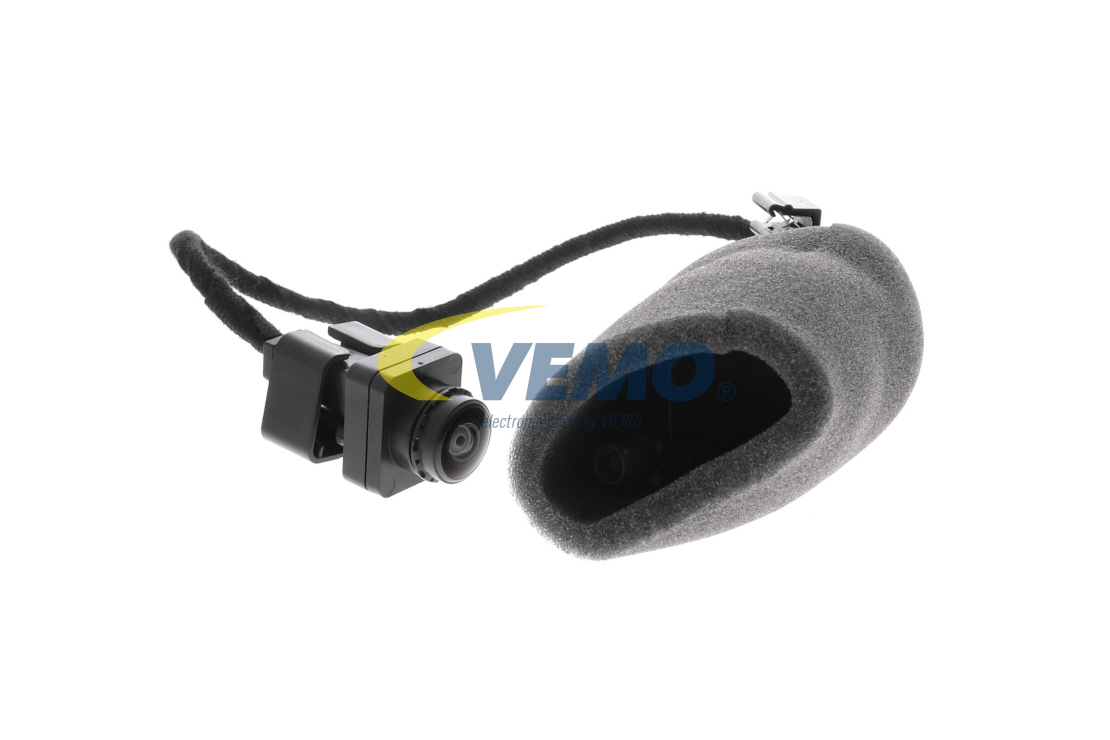
A car reversing camera, often referred to as a backup or rearview camera, is a safety feature that gets installed on vehicles to provide drivers with a clear view of the area behind their vehicle. This feature is particularly helpful for improving visibility, reducing blind spots, and helping drivers navigate tight parking spaces, avoid obstacles, and prevent accidents. In this article, we will provide a guide on how to install a reverse camera.
How to fit a reversing camera
Before you start retrofitting or installing a reversing camera, you should consider a few important factors. A reversing camera requires a monitor or display in the car to which the camera signal can be sent. Another important factor is the wiring of the vehicle. In some cars, the wiring is already present and prepared, in others it must first be installed. It is also important to check whether your vehicle is equipped with a reversing light system that activates the camera signal when you shift into reverse gear.

You should also check whether there are any special requirements for your car. Some manufacturers offer camera models that have been developed for specific vehicle types. These models are usually easier to install and guarantee perfect integration into your car.
Connecting, installing and wiring a reversing camera is a complex process, but with a few basic steps and the right tools, it can be done by anyone. Take a look at Before you start, you should obtain instructions for the specific camera model and your vehicle to ensure you follow all the necessary steps. Here is a general guide to connecting a rearview camera:
- Finding the source of the reversing signal
To correctly identify the power source for your camera, you should locate the connection for the reversing lights and the correct cable. You may be able to find this in the fuse box under the dashboard, in the gearbox, on the gear lever or selector, or in the boot. You may also be able to trace the cable from the rear light and note the colour of the cable. For more information, see the owner's manual for your car.
Sold by AUTODOC Sold by AUTODOC Sold by AUTODOC Sold by AUTODOC Sold by AUTODOC
 Article number: 78-548#
£60. 49price incl. 20% VAT, excl. delivery costs
Article number: 78-548#
£60. 49price incl. 20% VAT, excl. delivery costs
 Article number: 02163
£13. 49price incl. 20% VAT, excl. delivery costs
Article number: 02163
£13. 49price incl. 20% VAT, excl. delivery costs
 Article number: 02165
£10. 49price incl. 20% VAT, excl. delivery costs
Article number: 02165
£10. 49price incl. 20% VAT, excl. delivery costs
 Article number: EPP013
£28. 99price incl. 20% VAT, excl. delivery costs
Article number: EPP013
£28. 99price incl. 20% VAT, excl. delivery costs
 Article number: EPP018
£25. 99price incl. 20% VAT, excl. delivery costs
Article number: EPP018
£25. 99price incl. 20% VAT, excl. delivery costs
- Finding or running cables for the camera
Check to see if your car is already fitted with a rearview camera or a camera number plate. If so, you can connect the cable directly to the camera. Make sure the data and power cables are connected correctly to avoid transmission problems. It is also important that you route the cables close to the number plate, as this is usually the easiest place to mount the camera.
If there is no cable inside the vehicle, you will need to either use a wireless camera or run the supplied cable into the correct cable port inside the vehicle. Please note that this can be a major inconvenience, as the entire interior often needs to be removed. This is often a complicated process, especially in the boot. You may find it helpful to take a look at the many reverse camera wiring diagrams which can be found online.
- Installing the camera
Mount the camera at the rear of the vehicle. The licence plate holder is usually the best option for this. Bear in mind that a hole may need to be drilled so that the cable can be laid. You may also need a screwdriver set for your car. To achieve the best view when backing up, the camera should be positioned at the same height as the reversing lights. This allows you to recognise obstacles at an early stage and park safely.

- Connecting the monitor
Connect the data cable to the display in the vehicle and make sure that it is securely fastened. Now connect the power cable and make sure that the activation by the reversing light works properly.
- Calibrate the system
Check that all settings are correct and that the camera is correctly aligned. The area behind the vehicle should be 100 per cent visible. Also, examine the camera's colour and image settings in daylight and at night. High-quality cameras offer a calibration programme to help you with this.
- Test the reversing camera
Take a test drive and check the system. Park a few times in different situations and manoeuvre in tight spaces to check that everything is working and that the image is displayed clearly on the monitor.
If you have carried out all the steps correctly, your camera should now work perfectly and give you a better view when backing up. If you are having difficulties, it may be helpful to call in an experienced mechanic or professional installer to set up the system.
See How to choose a reversing camera and which one is best for your car for more information on rearview cameras and how to choose one.
Top products related to this topic: